

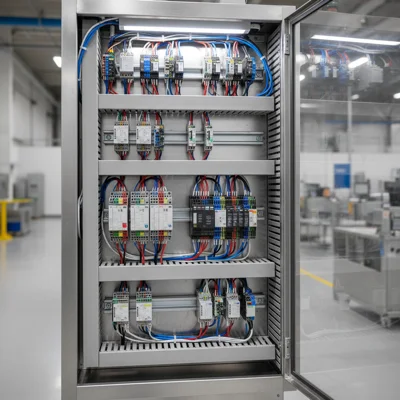
Physical Wiring Diagram of the Potentiometer to Veichi
For a stable frequency reference, use a linear variable resistor with a nominal resistance of 4.7 to 10 kOhm. A lower resistance (e.g., 1 kOhm) will overload the VFD's internal power supply, while a larger one (above 20 kOhm) will make the analog line extremely vulnerable to electromagnetic noise induced by the motor's power cables.
The physical connection is made directly to the Veichi control terminal block using the following mapping:
- +10V Terminal: Connects to the first outer terminal of the potentiometer. This is the VFD's internal reference voltage source (10 VDC, maximum current 10 mA).
- AI1 Terminal: Connects to the middle (adjustable wiper) terminal of the potentiometer. This is the VFD's first analog input, which reads the control voltage in the 0–10 V range.
- GND Terminal: Connects to the second outer terminal of the potentiometer. This is the common analog ground.
To protect the signal path, use a shielded twisted-pair cable. The cable shield must be grounded at one end only — on the PE ground terminal of the frequency inverter. On the potentiometer side, leave the shield floating/unconnected, otherwise a ground loop will occur, introducing more noise into the signal path.
Configuring Frequency Reference Parameters
Set parameter F01.02 to 2 to tell the VFD's control board to treat the AI1 analog input as the primary frequency reference source. By default, the device is configured to operate from the built-in keypad or built-in keypad pot, so without modifying this configuration, rotating the external resistor will produce no speed change.
Keypad programming sequence:
- Press the PRG button to enter parameter setup mode.
- Use the arrow keys to navigate to the F01 group and press ENTER.
- Find parameter F01.02 (Frequency Source A) and press ENTER.
- Change the value from 0 (keypad digital setting) to 2 (AI1 input) and save by pressing ENTER. The screen will briefly flash "END".
- Return to the main run display by pressing PRG.
Additionally, check the maximum output frequency in parameter F01.06 and the upper frequency limit in F01.08. These must match the motor nameplate specifications (typically 50.00 Hz) to prevent the motor from overspeeding at the maximum potentiometer position.
Specifics and Conflict of the RJ45 Port (F11.30)
If you decide to connect a remote keypad into the RJ45 jack on the Veichi AC10 chassis, you need to enable parameter F11.30 = 1. However, take note of a critical hardware limitation: this RJ45 port shares the same internal UART transceiver as the RS485 terminal for Modbus RTU. Activating the remote keypad completely disables the Modbus RTU network on this physical channel.
Real-world industrial installation details:
- When F11.30 = 1 is set, the drive switches to a proprietary keypad communication protocol, meaning any Modbus read/write requests from a PLC or SCADA system will be completely ignored.
- The RJ45 remote keypad cable must be a high-quality STP (shielded twisted pair) cable no longer than 15 meters.
- To restore digital network control via Modbus, you must unplug the remote keypad and revert parameter F11.30 = 0.
Calibration and Filtering of the Analog Signal
To eliminate speed instability and frequency fluctuations, configure the analog input filtering time via parameter F05.20 (AI1 filter time). Variable frequency drives operate using high-frequency PWM switching, generating strong electromagnetic fields that couple onto nearby signal wires. Increasing the F05.20 value smooths out these voltage spikes but adds a slight delay to the VFD's response to potentiometer rotations.
Key calibration parameters in the F05 group:
- F05.15 (Min AI1 Voltage): Default is 0.00 V. If your potentiometer outputs a minor offset voltage at its minimum left position (e.g., 0.1 V) and the motor continues to rotate slowly, set this to 0.15 V so the VFD treats it as absolute zero.
- F05.16 (Max AI1 Voltage): Default is 10.00 V. If the VFD's internal power supply drops slightly under load (e.g., to 9.8 V), enter 9.8 V here to ensure the motor reaches full speed at the maximum potentiometer position.
- F05.20 (AI1 Filter Time): The optimal filtering range for industrial environments is typically 0.100 to 0.300 seconds. This successfully neutralizes electrical noise without impacting drive dynamics.
Comparing Speed Reference Methods
Choosing the right speed control method affects both operator convenience and signal noise immunity. Below is a comparison of the primary methods for Veichi AC10:
| Control Method | Parameter | Pros | Cons |
|---|---|---|---|
| Built-in Keypad Pot | F01.02 = 0 or 1 | Works immediately, no wiring required. | Drive must be visible; cannot extend the knob far. |
| External Potentiometer | F01.02 = 2 | Very cheap, easy to mount up to 20 meters away. | Sensitive to EMI; requires high-quality shielded cabling. |
| Remote RJ45 Keypad | F11.30 = 1 | Fully mirrors the drive's display on the enclosure door. | Completely blocks the Modbus RTU communication channel. |
| Modbus RTU (RS485) | F01.02 = 5 | Excellent noise immunity, direct PLC/SCADA integration. | Requires PLC programming knowledge. |
Industrial Installation Best Practices
Always route analog signal cabling separately from power lines and motor cables, maintaining a minimum distance of 20–30 cm. If crossing is unavoidable, cross strictly at a 90-degree angle. This simple rule prevents erratic drive behaviors, speed drift, and unexpected overcurrent or overvoltage faults.
For optimal drive selection or professional assistance, visit our catalog where the Veichi frequency converters category is showcased. Our engineers will help calculate power ratings, select input/output chokes or filters, and provide a full wiring layout tailored to your automation task.
