

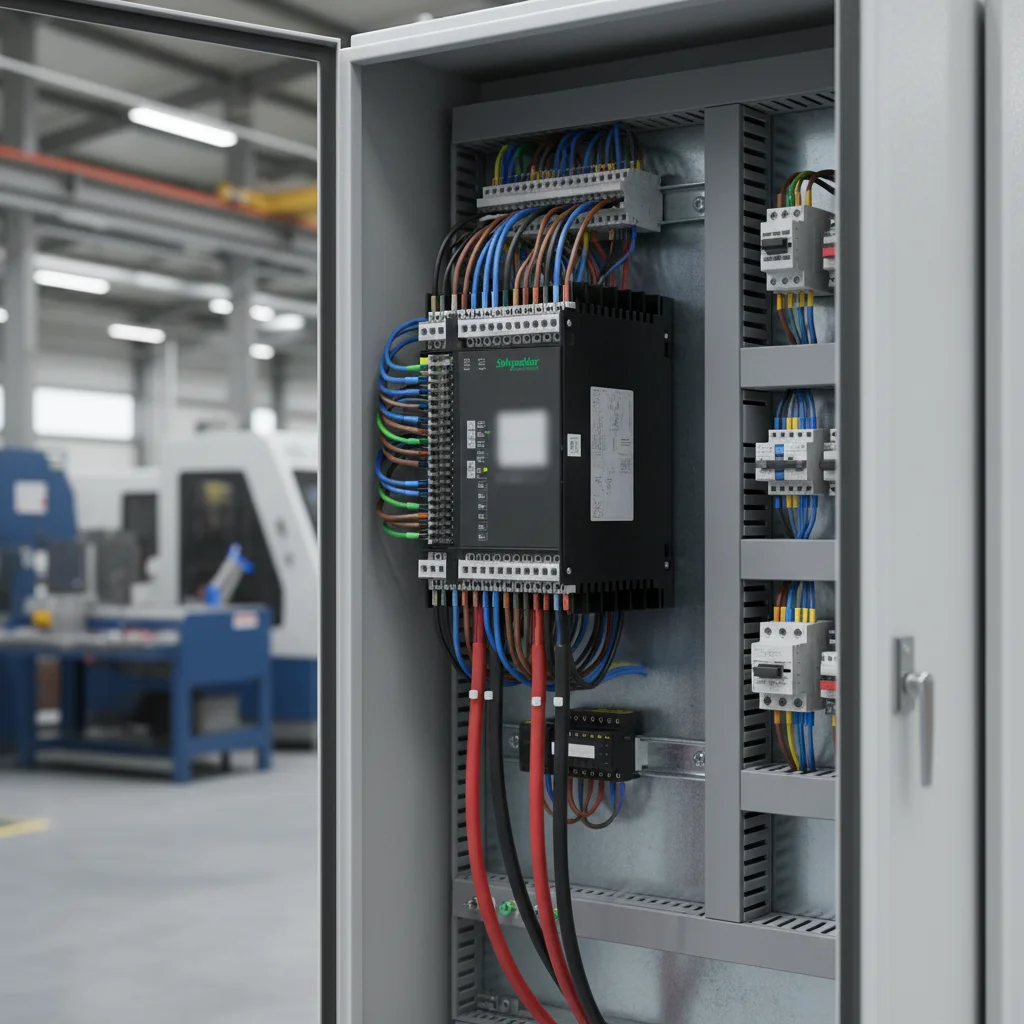
Switching Altivar Variable Frequency Drives to Terminal Control: A Quick Start
Operating an induction motor via external cabinet switches or PLC relays requires modifying the default factory settings of Schneider Electric Altivar drives. To assign run commands and speed references to the LI1–LI4 digital inputs on ATV12 and ATV320 series, you must configure parameters Fr1 (speed reference source) and tCC (2-wire control). On the ATV310 series, these configurations are defined in registers 401 and 201 respectively. Incorrectly setting the tCt level logic parameter will prevent the motor from starting after a power failure or block drive operation due to safety conflicts.
At our Kiev warehouse, we regularly build electrical panels based on Altivar drives for pump and conveyor systems. Based on our experience, most tech support requests stem from users neglecting to enter the motor nameplate data before startup. Our engineers recommend following a strict commissioning sequence: wire the power stage, enter the motor nameplate parameters, run the auto-tuning sequence, and only then proceed to configure the external terminal control.
Power Terminals and Grounding Paths for Altivar Drives
The power stage wiring for single-phase and three-phase versions of the ATV12, ATV310, and ATV320 series utilizes standardized industrial marking. AC input power is wired to the R/L1, S/L2, and T/L3 terminals (for single-phase 220V supply, use R/L1 and S/L2). The three-phase induction motor is connected to the U/T1, V/T2, and W/T3 output terminals. The physical design of these series differs regarding dynamic braking resistor configurations.
- Schneider Altivar ATV12: Low-power models often lack an internal dynamic braking transistor (chopper). To stop high-inertia loads quickly, you must program a longer deceleration ramp or purchase an external dynamic braking module.
- Schneider Altivar ATV310: The dynamic braking transistor is built-in on models rated at 1.5 kW and higher. The braking resistor is wired to the PO and PB terminals.
- Schneider Altivar ATV320: Features a built-in dynamic braking transistor across all power ratings. The braking resistor is connected directly to the PBe and PB terminals.
Always use shielded twisted-pair cabling for analog control circuits. The analog common COM terminal must be isolated from the PE power ground. Connect the VFD chassis ground terminal to the main grounding busbar of the cabinet using a copper wire with a cross-section of at least 4 mm². This layout prevents processor glitches caused by induced electromagnetic interference.
Motor Parameters and Auto-Tuning Configuration: UnS, FrS, nCr, NSP
Electronic thermal protection and vector control loops will run incorrectly if you fail to program the rated motor parameters before the first run. These settings are located in the drC- menu (for ATV12 and ATV320) or in Parameter Group 300 (for ATV310). Before powering up, confirm whether the motor winding connection (star or delta) matches the output voltage rating of the drive.
Enter the following nameplate values in sequence:
- UnS (Parameter 301 on ATV310): Rated motor voltage from the nameplate (e.g., 220V or 380V).
- FrS (Parameter 302 on ATV310): Rated motor frequency (typically 50 Hz).
- nCr (Parameter 305 on ATV310): Rated motor current in Amperes.
- NSP (Parameter 307 on ATV310): Rated motor speed in RPM.
- tUn (Parameter 318 on ATV310): Auto-tuning activation. Set this parameter to YES (or 01 for ATV310) and press the RUN key. The drive performs a static measurement of the motor winding resistance. The routine completes automatically, displaying a dOnE status on the keypad.
Terminal Run Commands: Configuring tCC and tCt Registers
Factory-configured Altivar drives only accept run commands from the integrated digital keypad. To switch operation to external cabinet switches or PLC dry contacts, the drive channels must be reprogrammed. Our engineers suggest adopting a 2-wire control layout.
Configure the following settings to enable terminal control:
- Frequency Reference Source Fr1 (or 401 on ATV310): Set this parameter to AI1 to assign speed reference control to an external 0-10V potentiometer. Select LCC if you plan to adjust the speed using the keypad keys.
- Control Mode tCC (or 201 on ATV310): Set this parameter to 2C (2-wire control). Digital input terminal LI1 is now assigned as the forward run command.
- 2-Wire Operating Type tCt (or 202 on ATV310): Set this parameter to LEL (Level). In this mode, the motor runs when the LI1 terminal is shorted to +24V and stops when it is opened. This logic is crucial for automatic water supply and ventilation panels.
Signal wiring is routed through dry contacts. Connect one wire from the switch to the +24V terminal, and the other to the LI1 digital input (forward) or LI2 digital input (reverse). To ensure safe operation, verify that the physical NPN/PNP selector switch on the control card is set to the Source (PNP) position.
Acceleration and Deceleration: Adjusting ACC and dEC
The speed transition rates set in the drive determine the dynamic mechanical stress on gearboxes and protect the electrical supply from current spikes. The acceleration time ACC and deceleration time dEC are configured in seconds. The factory setting of 3.0 seconds is typically too short for heavy fans or conveyors.
When programming the ramp profiles, apply these parameters:
- ACC (Parameter 501.0 on ATV310): Configure the acceleration ramp from 5.0 to 15.0 seconds. For high-inertia blower units, increase this value to 30.0-45.0 seconds to prevent OCF (overcurrent during acceleration) faults.
- dEC (Parameter 501.1 on ATV310): Configure the deceleration ramp. If the load has high inertia, a rapid stop will trigger an ObF (overbraking) fault on the DC bus.
To stop inertial mechanisms quickly without extending the dEC ramp, you must install a dynamic braking resistor. Based on our experience, trying to halt a heavy impeller without a braking resistor on a short dEC ramp will trip the drive instantly. Browse all compatible braking resistors and other peripheral hardware in the accessories category.
Single-Phase Capacitor-Free Motor Hack: Disabling OPL
Sometimes you need to operate a single-phase induction motor using a three-phase Altivar drive. Our engineers frequently implement a capacitor-free connection layout. This method enables smooth speed regulation without overheating the motor's auxiliary winding.
Follow this step-by-step procedure to execute the hack:
- Motor Preparation: Remove both the start and run capacitors from the single-phase motor's terminal box. Locate the wires for the main (run) and auxiliary (start) windings.
- Terminal Wiring: Connect the main winding to the U and V output terminals on the drive. Connect the auxiliary winding to the U and W output terminals. The U terminal acts as the common junction point for both windings.
- Disabling Phase Loss Monitoring: By default, Altivar drives monitor phase current symmetry. The unbalanced current drawn by a single-phase motor will immediately trip an OPF1 or OPF2 (output phase loss) fault. To bypass this protection, find parameter OPL (located in the FLt- menu on ATV12/ATV320, or Parameter 605 in menu 600 on ATV310) and set it to nO (Disable).
Keep in mind that with this configuration, the drive's thermal model cannot protect the motor from overheating at low frequencies (below 25 Hz) due to reduced cooling fan performance on the shaft. We strongly recommend installing an external thermal protection relay or using standard three-phase motors. You can purchase a reliable three-phase motor and a compatible drive directly from chastotnik.ua.
Schneider Altivar Parameter Reference Table
This comparative reference table simplifies locating key parameters across different Altivar drive families during commissioning:
| Control Function | ATV12 Parameter (ConF -> FULL) | ATV310 Parameter (Menu) | ATV320 Parameter (Complete settings) | Recommended and Default Configurations |
|---|---|---|---|---|
| Frequency Command Source | Fr1 (in CtL-) | 401 (in 400-) | Fr1 (in Command/Reference) | AI1 (0-10V external potentiometer) or LCC (keypad) |
| Digital Input Run Command | tCC (in I_O-) | 201 (in 200-) | tCC (in Input/Output) | 2C (2-wire control via digital terminals) |
| 2-Wire Control Logic Type | tCt (in I_O-) | 202 (in 200-) | tCt (in Input/Output) | LEL (start triggered by signal level on input LI1) |
| Motor Rated Voltage | UnS (in drC-) | 301 (in 300-) | UnS (in Motor parameters) | Nameplate motor voltage rating (220V or 380V) |
| Motor Rated Current | nCr (in drC-) | 305 (in 300-) | nCr (in Motor parameters) | Nameplate motor current rating in Amperes |
| Acceleration Time 1 | ACC (in rPt-) | 501.0 (in 500-) | ACC (in Ramp) | Adjustable from 5.0 to 15.0 seconds depending on load |
| Deceleration Time 1 | dEC (in rPt-) | 501.1 (in 500-) | dEC (in Ramp) | Adjustable from 5.0 to 20.0 seconds depending on load |
| Output Phase Loss Check | OPL (in FLt-) | 605 (in 600-) | OPL (in Error/Warning handling) | YES (enabled for 3-phase); nO (disabled for 1-phase hack) |
Troubleshooting Altivar Fault Codes (OCF, ObF, OHF, OPF1/OPF2, LFF)
When the drive's internal protection loops trigger a fault, they immediately disable the output IGBT transistors to protect the power stage. Most of these conditions can be diagnosed and resolved in the field.
Review the standard fault codes and their diagnostic actions below:
- OCF Fault (Overcurrent): Occurs due to an excessively short acceleration ramp or mechanical binding. Increase the ACC acceleration time. Check the motor winding insulation resistance with a megohmmeter.
- ObF Fault (Overbraking): The DC bus voltage exceeded the safety threshold due to regenerative energy from the motor during deceleration. Increase the dEC deceleration ramp time or install a braking resistor.
- OHF Fault (Drive Overheat): The heatsink temperature exceeded the safe operating limit. Clean the drive's cooling fan and heatsink fins, and check the ventilation of the enclosure.
- OPF1 / OPF2 Fault (Phase Loss): Input or output phase loss detected. Inspect the power supply lines and the motor cable connection. When running a single-phase motor hack, ensure that parameter OPL is set to nO.
- LFF Fault (Analogue Input Loss): Loss of the 4-20mA signal on the analog input terminal. Verify the integrity of the sensor loop cabling and the presence of the +24V sensor supply.
Frequently Asked Questions
How do I reset a Schneider Altivar variable frequency drive to factory defaults?
To restore factory settings on the ATV12 and ATV320 series, enter the ConF menu, select the FCS parameter (Factory Settings), set it to Fry (All parameters), and confirm by pressing and holding the ENT key until the screen flashes back to nO. On the ATV310 series, go to Parameter 102 in Group 100, set it to 64, and hold the ENT key to confirm.
What braking resistor resistance is required for a 2.2 kW Altivar ATV320?
For a three-phase 380V ATV320 model rated at 2.2 kW, the minimum allowable braking resistance is 100 Ohms, with a recommended continuous power rating of at least 200W. Never connect a braking resistor with a resistance value lower than this limit, as doing so will damage the drive's built-in dynamic braking transistor.
How do I configure motor reversing from the terminal strip on an Altivar drive?
To enable reversing, assign a digital input to the rrS (reverse) function. Verify that parameter rrS under the FUn- -> rSt- menu is mapped to LI2 (often set to LI2h by default). To run the motor in reverse, apply +24V to the LI2 terminal while ensuring the LI1 terminal (forward run) is open.
Does the Altivar ATV12 support single-phase motors out of the box?
Schneider Electric does not officially support running single-phase motors on the ATV12, since the drive is designed for symmetrical three-phase loads. However, you can operate a single-phase motor in a capacitor-free layout by disabling the output phase loss detection parameter, setting OPL to nO (Disable). Monitor the motor temperature closely in this mode.
Why does my Altivar drive trigger an OPF2 fault with a healthy motor connected?
An OPF2 trip indicates an output phase loss condition. This is often caused by a loose connection in the motor junction box, a damaged cable, or a motor current rating that is significantly smaller than the drive's output rating. For very small motors, disable output phase loss check by setting OPL = nO, or run the tUn auto-tuning sequence to measure the windings.
Conclusion and Sizing Altivar Equipment from Stock
Correctly configuring Schneider Electric Altivar ATV12, ATV310, and ATV320 frequency inverters according to their nameplate values makes the operation of industrial equipment stable and guarantees reliable thermal protection for the motor. Using the parameter tables and terminal wiring paths provided in this guide allows for quick commissioning without consulting complex manufacturer manuals.
At our Kiev warehouse, we maintain a permanent inventory of Schneider Electric industrial automation components. Our technical specialists are ready to help you select the ideal drive for your application. Browse our online store to check live prices and purchase a genuine Schneider VFD with an official factory warranty. You can also view all options in our main frequency converters category to compare single-phase and three-phase models. Additionally, we suggest reading our Delta MS300 VFD setup guide to compare configurations.

