

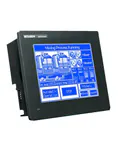
Mitsubishi Electric GT10 Series Operator Panels
The GT10 series from Mitsubishi Electric is a range of compact entry-level graphic terminals designed for basic monitoring and control of industrial equipment. GT10 panels provide a reliable human-machine interface (HMI) in applications where a large colour display is unnecessary but stable operation and convenient programming through GT Designer3 are essential.
Our catalog features 22 GT10 models with screen sizes ranging from 3.7 to 5.7 inches. All panels support the Modbus protocol and are compatible with Mitsubishi FX, Q, and iQ-R series controllers via RS232 and RS422 serial interfaces.
GT10 Series Technical Specifications
Key parameters that define the functionality of GT10 panels:
- Display diagonal: 3.7" (160x64 px), 4.5" (288x96 px), 4.7" (320x240 px), 5.7" (320x240 px)
- Matrix type: monochrome STN LCD with green or white backlight; QBBD/QSBD models -- 16- and 256-colour STN
- Communication interfaces: RS232, RS422, RS485 (combination depends on the model)
- Exchange protocol: Modbus RTU/ASCII
- Touch input: resistive touchscreen on all models
- USB port: mini-USB client (on GT1040/GT1045/GT1050/GT1055 models)
- Programming environment: GT Designer3 (free software)
Available GT10 Series Models
| Model | Diagonal | Interface | Colours | Features |
|---|---|---|---|---|
| GT1020-LBD | 3.7" | RS422 | B/W | Green backlight, RS-232 programming port |
| GT1020-LBD2 | 3.7" | RS232 | B/W | Green backlight, RS232 PLC port |
| GT1020-LBDW | 3.7" | RS422 | B/W | White backlight, RS422 PLC port |
| GT1030-HBD | 4.5" | RS422 | B/W | Green backlight, 288x96 px |
| GT1030-HWD | 4.5" | RS422 | B/W | Green backlight, 288x96 px |
| GT1040-QBBD | 4.7" | RS232/RS422/RS485 | 16 | Colour STN, USB client |
| GT1045-QSBD | 4.7" | RS232/RS422/RS485 | 256 | 256-colour STN, USB client |
| GT1050-QBBD | 5.7" | RS232/RS422/RS485 | 16 | 16-colour STN, USB client |
| GT1055-QSBD | 5.7" | RS232/RS422/RS485 | 256 | 256-colour STN, USB client |
GT10 Panel Applications
Thanks to their compact dimensions and straightforward configuration, the GT10 series is well suited for:
- Conveyor lines -- displaying sensor states, production counters, and alarm messages
- Pump stations -- monitoring pressure, flow, and liquid level through connection with Mitsubishi FX PLCs
- Packaging equipment -- cycle monitoring and recipe parameter adjustment
- Ventilation systems -- controlling variable frequency drives and displaying temperature
- Laboratory equipment -- small test benches where a monochrome display is sufficient
Other Operator Panel Series
If you require a larger screen or extended functionality, consider the higher-end Mitsubishi Electric series: GT15 (TFT displays from 5.7 to 15 inches) and GT16 (multi-touch, Ethernet, expanded memory). Our operator panel catalog also features HMI panels from Kinco, Delta Electronics, and Schneider Electric.
Warranty and Support
All Mitsubishi Electric GT10 series panels are supplied with an official manufacturer warranty. Our engineers will assist with model selection for your application, PLC communication setup, and project creation in GT Designer3. Delivery available across Ukraine.
