

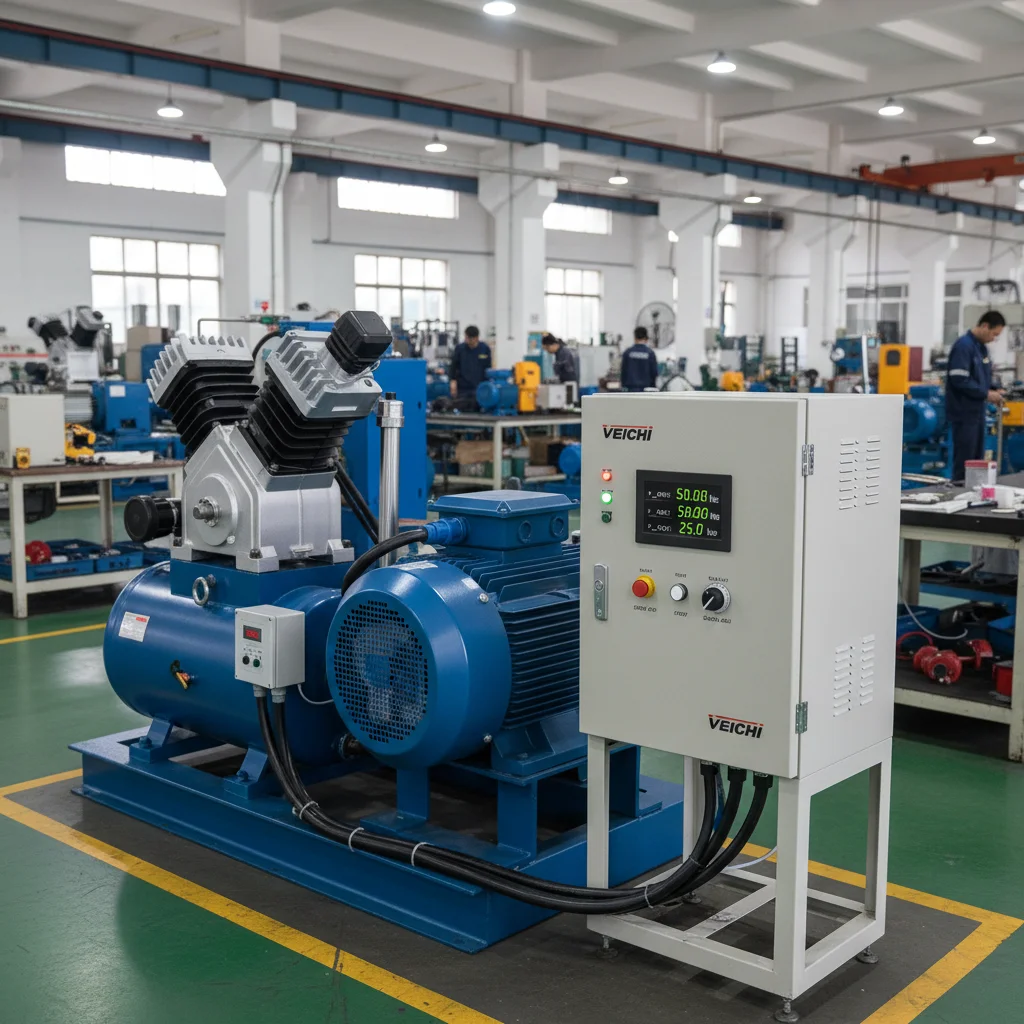
Veichi AC310 VFD setup: step by step
Setting up the Veichi AC310 frequency converter for a compressor, crane or pump takes five steps: enter the motor nameplate data into the drive (group F02) and, where possible, run auto-tuning; choose the control mode in F01.00 (V/F or SVC vector); choose the RUN command channel (F01.01) and the frequency source (F01.02); set the rotation direction (F07.05); and go through the protections once. Everything else is fine-tuning for a specific machine. Below is the sequence with real ranges, verified against the official AC310 technical manual — because the AC310 is most often used on heavy loads: compressors, cranes and overhead cranes, conveyors, extruders, large pumps and crushers, where a single wrong parameter trips a protection right at start-up.
The AC310 is no longer a "pump-and-fan" drive like the entry series — it is a vector drive for machines with complex torque dynamics. So half the setup here is not about getting it to move, but about getting it to move under load without an overload fault. That is the focus.
Step 1. Motor nameplate and auto-tuning (group F02)
Before changing anything, copy the motor nameplate into group F02. This is the foundation: the AC310 builds its entire control model on these numbers, and in vector mode an incorrect nameplate means no usable torque.
- F02.04 — rated speed, rpm (range 0~65000 rpm). Take it from the nameplate, e.g. 1450 rpm for a 4-pole motor.
- F02.05 — rated motor voltage. The manual range is wide, 0~1500 V (the series spans several voltage classes), but for a standard 380 V supply this holds the motor's nameplate voltage, typically 380 V.
- F02.06 — rated motor current, also from the nameplate.
Voltage tip. Keep one practical guideline in mind: on single-phase or unstable supplies, do not enter a motor-voltage value "with headroom upwards". A VFD is not a stabiliser, and when the input swings past ~253 V the DC-bus capacitors suffer. This is not a printed F02.05 limit (that field holds the motor voltage) — it is a service-practice rule to protect the drive itself.
Next is auto-tuning, parameter F02.07. It measures the real motor parameters, and for vector control it is not optional but mandatory:
- F02.07 = 1 — rotational (dynamic) auto-tuning. The most accurate, but the motor spins above 50% of rated frequency during it, so use it only when the shaft can be decoupled from the machine.
- F02.07 = 2 — static auto-tuning. When the motor cannot be decoupled (load up to 30%); lower accuracy.
- F02.07 = 3 — stator-resistance measurement only. Fast; used together with automatic torque boost.
Field tip. On a compressor or crusher you cannot decouple the shaft, so static (F02.07=2) is what you actually get. After it, always check the measured motor values in the parameters — the static method can carry a noticeable error, and that is exactly what later shows up as odd low-speed torque.
Step 2. V/F or SVC vector: where the AC310 shines (F01.00)
The control mode is set in F01.00 (range 0~20). For an induction motor, three values matter:
- F01.00 = 0 — scalar V/F. A simple mode: when fast response and accuracy are not needed, when one drive feeds several motors, or when the motor parameters are unknown. A safe first start to confirm everything turns the right way.
- F01.00 = 1 — sensorless vector control (SVC, open loop). Delivers high torque already at low speed plus fast torque response. This is the AC310's strength.
- F01.00 = 2 — vector control with an encoder (FVC, closed loop). Requires a speed feedback signal; used where accuracy must be held down to zero speed.
Real case. A compressor is one of the toughest loads because of high static friction and back-pressure at start. In practice a compressor is set to SVC (F01.00=1): only vector mode provides enough breakaway torque so the drive does not trip into overload on the first revolutions. The same applies to cranes and overhead cranes, where a load must be moved smoothly and under torque control.
When NOT to use vector. SVC and FVC on the AC310 control a single motor, and the drive rating must not differ greatly from the motor — up to two sizes larger or one size smaller, otherwise control quality degrades to the point of failure. So if one drive feeds a group of motors, stay on V/F (F01.00=0); vector simply cannot be engaged there.
Step 3. Where the RUN command and frequency come from (F01.01, F01.02)
The RUN command channel is set by F01.01 (range 0~3):
- 0 — keypad (panel buttons);
- 1 — control-board terminals (external buttons, PLC contacts; the 2- or 3-wire scheme is chosen in F05.20);
- 2 — RS485 (Modbus);
- 3 — option card.
The frequency source is F01.02 (source A):
- F01.02 = 2 — analog input AI1;
- F01.02 = 3 — analog input AI2.
An important AI detail. On the AC310 the signal type (current or voltage) is set by a DIP switch on the board, not only by a parameter. For a voltage input the AI switch is in the "U" position; for a current input (e.g. a 4–20 mA sensor) it is in "I". If the drive ignores the potentiometer or sensor, nine times out of ten the cause is a forgotten switch, not a parameter.
If the frequency reference does not reach the desired maximum or minimum, do not touch the wiring — adjust the gain of analog channel A in F01.03 with the maximum signal applied.
Step 4. Rotation direction and reverse (F07.05)
Direction is set by F07.05 (range 0000~1121; each digit has its own function):
- digit "0" — direction inversion: 0 — unchanged, 1 — reverse to the opposite direction;
- digit "00" — reverse enable: 0 — both directions allowed, 1 — forward only, 2 — reverse only;
- digit "000" — whether a negative frequency may flip the motor direction.
Safety tip. If the motor turns the wrong way, the manual explicitly recommends swapping any two output phases U/V/W rather than "fixing" it with a RUN reverse — especially when you replicate identical drives by copying parameters: a physical phase swap carries over, whereas a software reverse may be lost during the copy.
Overhead crane. On hoisting machinery it is common to deliberately set digit "00" = 1 (forward only) or hard-lock the reverse on the panel, so the operator cannot accidentally command reverse under load.
Step 5. Auto-restart, catch-on-the-fly and torque (F07.06, F07.00, F04.01)
For conveyors, pumps and any continuous line, the power-recovery action is useful — F07.06, range 0~2:
- 0 — disabled: after power returns the drive does not start until it receives a fresh RUN command;
- 1 — restart with speed tracking: if the drive was running before the outage, after recovery and a wait time it catches the still-spinning motor by itself;
- 2 — start per the selected Start mode.
The wait time before auto-restart is F07.07 (default 0.50 s, range 0.00~60.00 s). Set it to the time the adjacent equipment (pumps, valves, PLC) needs to become ready.
Remember the safety point: with F07.06 = 1 or 2 the drive can start on its own after power is applied. Where people work nearby (cranes, open conveyors), either do not enable this or interlock it with an external permit circuit.
Separately, two things that make the AC310 fit for high inertia: catching the motor on the fly and automatic torque boost.
Catching a rotating motor (Flying Start)
The start mode is set in F07.00 (range 0~2). The value F07.00 = 2 means "start after speed tracking and direction detection": the drive first determines the speed and direction of the shaft and only then catches it. This is critical for high-inertia crushers and fans that keep spinning by inertia or wind long after stopping — trying to start from zero against such a shaft causes a current surge and a fault. (For comparison, F07.00 = 0 starts from the start frequency, and F07.00 = 1 applies DC braking first, then starts.)
Torque boost F04.01
In V/F mode, low-speed torque is raised with F04.01 (range 0.0%~30.0%, default — model setting):
- F04.01 = 0.0 — automatic torque boost: the drive compensates stator-resistance losses itself (works once auto-tuning F02.07=3 has been run);
- any other value — a fixed torque boost at start.
Real case (crusher). The classic complaint "the crusher won't start" is cured precisely by raising torque at low hertz. But do not overdo it: an excessive fixed boost overheats the motor at low speed. If the drive still trips into overload (OL2), that is a sign of an undersized drive, not a parameter to tweak.
Carrier frequency. Separately — F01.40 (PWM carrier frequency, range 1.0~16.0 kHz). A higher carrier means a quieter motor but more drive heating and the need to derate. On heavy loads do not push the carrier up for quietness — you lose thermal headroom.
Phase-loss protection (F10.20)
Parameter F10.20 (default 0021, range 0000~1121) controls phase-loss protection. The key digit here is "00", input-side phase-loss protection:
- 0 — off;
- 1 — on, as a warning: the drive raises alarm A.iiLF and keeps running;
- 2 — on, as a fault: the drive logs error E.iLF and coasts to stop.
On critical machinery it makes sense to set "2" so the drive does not run on two phases. On a line where continuity matters more, choose "1" — a warning without a stop, leaving the response to the operator.
AC310 parameter table and start sequence
| Parameter | Value | What it does |
|---|---|---|
| F02.04 | from nameplate (0~65000 rpm) | Rated motor speed, rpm |
| F02.05 | from nameplate (range 0~1500 V); ≤253 V mains guideline | Rated motor voltage; not the mains limit |
| F02.07 | 1 / 2 / 3 | Auto-tune: rotational / static / stator resistance |
| F01.00 | 0 / 1 / 2 | Mode: V/F / SVC vector / vector with encoder |
| F01.01 | 0~3 | RUN channel: keypad / terminals / RS485 / option card |
| F01.02 | 2 = AI1, 3 = AI2 | Frequency source (signal type via DIP "U/I") |
| F07.05 | digit "0"=1 | Rotation reverse |
| F07.06 | 0~2 | Power-recovery action (0 off / 1 with catch / 2 per Start) |
| F07.07 | 0.50 s (0.00~60.00 s) | Wait time before auto-restart |
| F07.00 | 0~2 (2 = catch on the fly) | Start mode, incl. Flying Start |
| F04.01 | 0.0~30.0 % (0.0 = auto) | V/F torque boost |
| F01.40 | 1.0~16.0 kHz | PWM carrier frequency |
| F10.20 | 0021 (0000~1121) | Input/output phase-loss protection |
First-start checklist
- Copy the motor nameplate into F02.04 / F02.05 / F02.06.
- Run auto-tuning F02.07: shaft decoupled — rotational (1); cannot decouple — static (2).
- Pick the mode F01.00: V/F (0) for the first check, SVC (1) for a compressor/crane.
- Set the RUN channel F01.01 (keypad 0 is convenient for the first start) and the frequency source F01.02 (AI1=2; mind the DIP "U/I").
- Check the direction; if needed, reverse via F07.05 or swap two phases U/V/W.
- If required, enable auto-restart F07.06 and the wait time F07.07 — deliberately, with safety in mind.
- For high inertia, add catch-on-the-fly F07.00 = 2 and, if needed, torque boost F04.01.
- Set phase-loss protection F10.20 to suit the machine's criticality.
When the AC310 is the wrong series (and when it is the right one)
You choose the AC310 when you need torque and dynamics: compressors, cranes and overhead cranes, conveyors, extruders, crushers, large pumps. If the task is a simple fan or a single pump with no demanding start requirements, there is no point paying for a vector drive — an entry Veichi series will do (it has its own setup guide). And when you need PID with a sleep mode for a borehole pump, see the dedicated article on a pump with PID + sleep.
You can pick a model for your machine among Veichi VFDs or in the general catalogue of frequency converters; for pumps there is a separate selection — VFDs for pumps. A detailed step-by-step setup scenario is collected in the Veichi setup guide, and if the drive already shows a code on the display, check the Veichi error-code reference. More about the brand is in the about-Veichi article.
FAQ
Which control mode should I set on the AC310 for a compressor?
Sensorless vector — F01.00 = 1 (SVC). A compressor has high static friction and back-pressure at start, and only vector mode provides enough breakaway torque so the drive does not trip into overload on the first revolutions. First, be sure to enter the nameplate into group F02 and run auto-tuning F02.07.
How do I set up AC310 auto-restart after power returns?
Enable the power-recovery action: F07.06 = 1 (restart with speed catch) or F07.06 = 2 (per Start mode), parameter range 0~2. Set the wait time in F07.07 (default 0.50 s) to match the readiness of adjacent equipment. Remember: after this the drive can start on its own — make sure it is safe.
The crusher won't start — what do I adjust?
Two things. First, for a machine still spinning by inertia, enable catch-on-the-fly — start mode F07.00 = 2 (start after speed tracking). Second, in V/F mode raise low-speed torque via F04.01 (0.0~30.0%). If the drive still trips into overload, the issue is an undersized drive, not a parameter.
The motor turns the wrong way — reverse via F07.05 or swap phases?
The manual recommends swapping any two output phases U/V/W rather than "fixing" the direction with a RUN reverse — especially when you replicate identical drives by copying parameters. The software reverse is set in digit "0" of F07.05, but a physical phase swap transfers more reliably between drives.
The drive ignores the potentiometer or 4–20 mA sensor — why?
Most often it is the DIP switch on the board. For a voltage input the AI switch must be in "U"; for a current signal (4–20 mA sensor) in "I". Also check that F01.02 = 2 for AI1 or 3 for AI2. The range itself is trimmed with the channel gain F01.03.
Can one AC310 in vector mode control several motors?
No. In vector modes (SVC and FVC) the AC310 controls a single motor, and its rating must not differ greatly from the drive's. If one drive feeds a group of motors, stay on scalar V/F (F01.00 = 0).
Other Veichi series: Veichi AC10 setup and single-phase Veichi AC01.

