

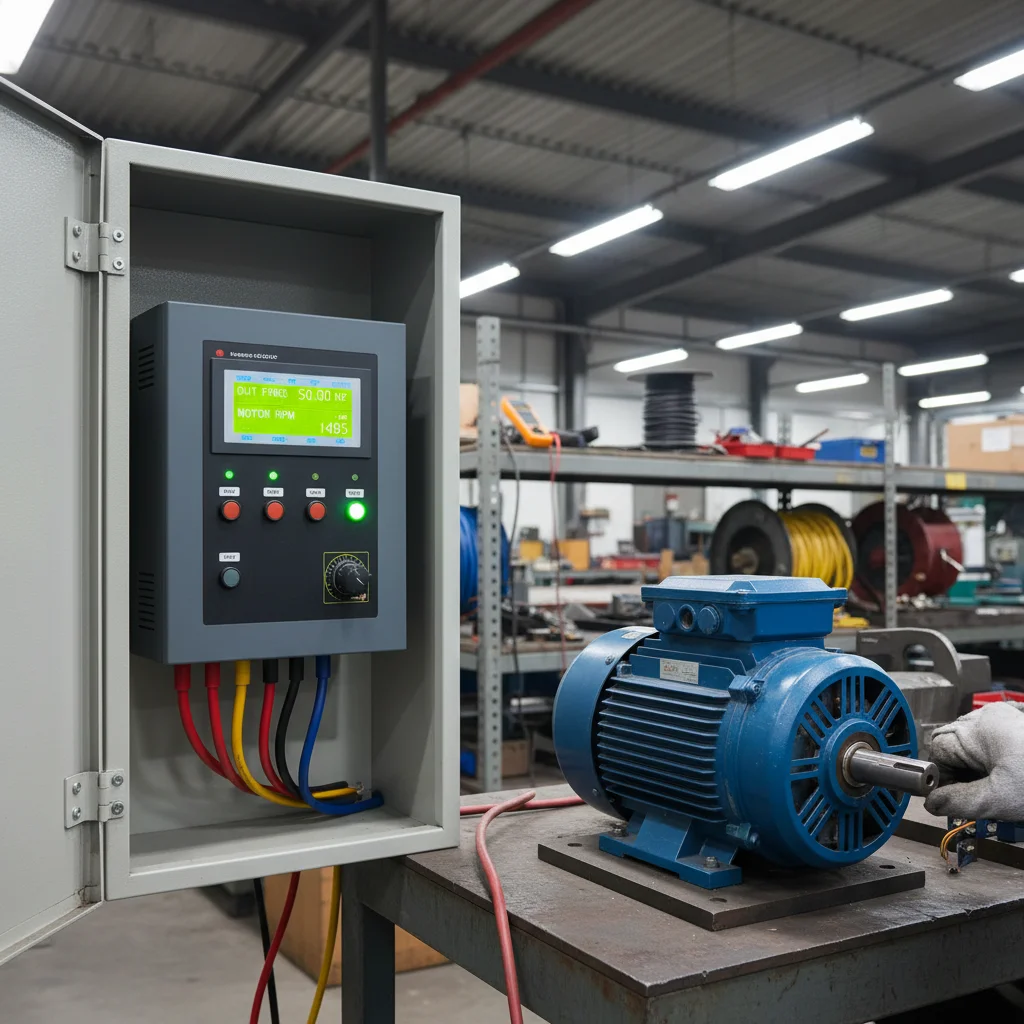
How to set up the Veichi AC10 frequency converter: the short answer
Setting up the Veichi AC10 frequency converter is five actions: enter the motor nameplate data into the drive (group F02), choose the run command source (F01.01 — keypad or terminals), choose the frequency reference source (F01.02 — potentiometer, analog input AI1 or RS485), set the rotation direction (F07.05), and run through the protections once. Everything else is fine-tuning for the machine. Below are the step-by-step instructions and a parameter table verified against the official AC10 manual.
The AC10 is Veichi's compact general-purpose VFD. It is a Chinese frequency converter, but a mature and predictable one to configure: the parameter-group logic is standard, so once you learn it you can set up any model quickly. In practice the AC10 most often runs pumps, fans, conveyors, tyre-changer stands, small machine tools, and — on the lower models — single-phase 1×220 V input. It is a versatile workhorse for simple and mid-range tasks where a premium drive isn't needed. In the Veichi VFD catalog the AC10 is one of the best-selling series, so the setup below is proven on hundreds of real start-ups.
If you have a different Veichi series (AC310 or AC01), the parameters partly differ — for those, see the dedicated guide for that series. This article is about the AC10 and only the AC10: the codes, ranges and terminals here are for it specifically.
First thing to enter: motor nameplate data (F02)
AC10 setup starts not with frequency but with the motor's rated data. The drive builds its whole control model around it: enter the ratings by guesswork and you get either weak low-end torque or overheating. In practice, most "the motor hums and won't pull" cases are cured simply by going back to the nameplate.
The motor parameter group is F02. Enter the values exactly as on the motor plate:
- F02.04 — rated motor speed, rpm. This is speed, not voltage — a common source of confusion.
- F02.05 — rated motor voltage, V. For a standard 380 V motor this holds the motor voltage; do not confuse it with the mains voltage (below).
- The rest of group F02 — rated current, power, frequency — comes from the same nameplate.
Tip. After entering F02, run motor auto-tuning with no load — the AC10 measures the winding resistance and delivers noticeably more stable low-speed torque. For vector mode (SVC) this is required, not optional. If the shaft is already on the machine and you can't spin it freely, there is a static auto-tune: less data, but better than none. And an honest note: for most simple AC10 applications (fans, pumps without strict torque demands) plain scalar V/F (F01.00 = 0) is perfectly enough — don't complicate the setup with a vector mode "because it's more precise".
Run command source: keypad or terminals (F01.01)
By default the AC10 starts from the button on its own keypad. In a real installation you usually need a start from an external button or an automation signal — this is parameter F01.01 (RUN command channel):
- 0 — keypad (drive panel);
- 1 — control-circuit terminal (external buttons/signals);
- 2 — RS485 communication.
For button control, set F01.01 = 1. This is the same scenario customers often phrase as "remote start of the AC10": RUN channel to terminals, plus a button to the COM terminal.
A Veichi particularity you only learn from experience: the AC10 digital input logic closes onto the COM terminal, not GND. GND is reserved exclusively for analog signals. Wire a button to GND and the drive "won't see" the command — the most common reason for "I set everything right and it still won't start". Check this first, before digging into parameters.
Frequency source and the AC10 remote keypad (F01.02, F11.30)
Speed is set by parameter F01.02 (Frequency source A). For an external potentiometer or analog signal, wire it to input AI1 and set F01.02 = 2. The signal type on this input (current or voltage) on the AC10 is additionally set by a DIP switch on the board — check its position, otherwise a current sensor is "read" as voltage. Digital keypad setting is value 0, and the built-in keypad potentiometer is a separate value.
An external speed knob via RJ45 is an AC10 highlight. If you fit a remote keypad/potentiometer into the RJ45 port, enable it with F11.30 = 1 (serial-port function selection: external keypad instead of RS485). In the AC10 manual this parameter is labelled exactly that — "AC10 serial-port function selection". Two details worth knowing up front:
- while the port is assigned to the external keypad, Modbus over that same port is temporarily unavailable — an honest trade-off, you can pick only one of the two;
- F11.30 is not reset by the general initialization of the drive — even after a parameter reset it stays as set, so you'll have to clear it manually.
For the remote keypad use a shielded patch cord: on an unshielded cable the keypad "glitches" from interference, which is easy to mistake for a faulty drive.
Reverse and rotation direction (F07.05)
Rotation direction on the AC10 is set by parameter F07.05 (Rotation direction selection) — a multi-digit parameter where the units position controls reversing the rotation direction (0 — unchanged, 1 — flip to opposite).
A practical tip. If the motor simply turns the wrong way, don't dig into parameters — it is faster and more reliable to swap any two of the three output phases U, V, W (with the drive de-energized). Software reverse via F07.05 is for when direction must switch during operation (tyre-changers, overhead cranes), not for a one-off commissioning fix. The AC10 manual explicitly recommends: when copying parameters to several identical drives, don't "calibrate" direction by reversing, but correct the output phasing instead — by swapping two phases.
Basic AC10 parameter table
| Parameter | Value | What it does |
|---|---|---|
| F02.04 | from nameplate | Rated motor speed, rpm |
| F02.05 | from nameplate | Rated motor voltage (not the mains) |
| F01.00 | 0 | Control mode V/F (scalar) |
| F01.01 | 1 | RUN command channel = terminals (0 — keypad, 2 — RS485) |
| F01.02 | 2 | Frequency source = input AI1 (signal type via board DIP) |
| F11.30 | 1 | External keypad via RJ45 (temporarily blocks Modbus; not reset by init) |
| F07.05 | units digit = 1 | Reverse rotation direction |
| F07.06 | 0~1 (1 = restart with speed tracking) | Action on power recovery after a failure |
| F07.07 | 0.00–60.00 s | Wait time before restart after a power loss |
| F10.16 | by motor current | Motor overload protection current (fault E.OL1) |
| F10.19 | threshold | Undervoltage protection |
| F10.20 | default 021, range 000~121; input: 0/1/2 | Input/output phase-loss protection. Input (digit "00"): 0 — OFF; 1 — ON, warning A.ILF, run continues; 2 — ON, fault E.ILF, free STOP |
| F01.40 | +2…4 kHz to current | PWM carrier frequency (quietness/heat trade-off) |
The full parameter list and exact ranges for your AC10 model are in the official series manual (it ships with the drive). This reference deliberately keeps only the basics.
Basic AC10 startup sequence (step by step)
- De-energize the drive and wait for it to discharge (the indicator goes off). All work on power terminals and jumpers is done with the voltage removed.
- Wire the power: mains to the input terminals (R/S/T, or L/N for single-phase input on lower models), motor to the U/V/W output, grounding mandatory. Tighten all screw connections — vibration on a loose contact burns out the power modules.
- Enter the motor nameplate data into group F02 (F02.04 speed, F02.05 voltage, then current, power, frequency). Run no-load auto-tuning if needed.
- Choose the control mode F01.00 = 0 (V/F) for most simple applications; SVC where low-end torque is needed.
- Choose the run channel F01.01: 0 — keypad for a test, 1 — terminals for continuous work (button to COM).
- Choose the frequency source F01.02 = 2 for input AI1 (check the signal-type DIP) or keep digital keypad setting for the first start.
- First no-load start: apply a low frequency, check the direction. Wrong way — swap two output phases (with the drive de-energized).
- Go through the protections (F10.16, F10.19, F10.20) and only then connect the machine under load.
Single-phase motor: when NOT to
An honest topic — single-phase motors (the typical capacitor pumps). The AC10 generates three phases at the U/V/W output and works only with a three-phase motor. So a single-phase motor with a run capacitor is not connected directly to the drive.
If the motor has three identical windings (essentially three-phase, "made single-phase" by an external capacitor), remove the capacitor and wire the three leads straight to the AC10 output. At that point it also makes sense to disable input phase-loss protection — set the "00" (input) digit of F10.20 to 0 = OFF, otherwise the drive "sees" a non-standard current pattern and trips. But if it is a genuine single-phase motor with start and run windings of different gauge — do not try to "revive" it through a VFD: you can't control such a motor correctly, and that is an honest answer, not an upsell. Current guideline: if, after removing the capacitor, the running current exceeds twice the motor's rated value, stop operation — replace the motor with a three-phase one. For pump tasks, it's better to pick a three-phase motor right away in the VFDs for pumps section.
Safety and common mistakes
- Sudden auto-restart. If you enabled F07.06 = 1 (auto-restart after power recovery), the AC10 may start on its own when the mains returns — with speed tracking via F07.07. Before any work on the machine, de-energize the drive; do not rely on "stopped from the keypad".
- Mains voltage ≤253 V. A VFD is not a stabilizer: it will not output more than what comes in. The reference for protecting the capacitors is mains ≤253 V (a practical limit, not a printed limit of parameter F02.05). If the mains is consistently higher, that is a grid problem, not a drive problem.
- Jumpers and DIP — only when de-energized. Switch the analog signal type (current/voltage) with the drive powered off.
- Do not break the contactor under voltage on the output — this kills the output switches.
- An old thermal relay in the circuit after the AC10 is usually redundant: the drive has a more accurate built-in digital motor protection by current (F10.16).
AC10 FAQ
Why does the AC10 start only from the keypad while an external button does nothing?
The RUN command channel is set to the keypad. Set F01.01 = 1 (terminal control) and wire the button to the COM terminal, not GND. On Veichi, GND is for analog signals only, so a button on GND gives no command.
How do I set up AC10 auto-restart after power returns?
Set F07.06 = 1 (on the AC10 this parameter's range is 0~1: 0 — disabled, 1 — auto-restart with speed tracking) and set the wait time F07.07 (0–60 s) to match the time other equipment needs to become ready. Safety: after this the drive may start on its own — de-energize it before any work on the machine.
How do I connect an external potentiometer/keypad to the AC10?
Enable the remote-keypad port with F11.30 = 1 and set the frequency source to the analog input F01.02 = 2 (AI1). Note: while the port is assigned to the external keypad, Modbus over that port is temporarily unavailable, and this parameter is not reset by the general initialization.
The motor on the AC10 whines/hums — what to do?
Raise the PWM carrier frequency F01.40 by 2–4 kHz above the current value. The noise drops, but a higher carrier means more drive heating and a shorter allowed motor cable. It is a trade-off, not "higher is always better".
The AC10 shows an error code after start — where to look?
First check the Veichi error-code reference. Most often it is E.OL1 (motor overload — check F10.16 and the real current), undervoltage (threshold F10.19) or phase loss (F10.20). Each code points to a specific cause, not to "a faulty drive".
How does the AC10 differ from higher Veichi series?
The AC10 is a compact general-purpose drive for simple and mid-range tasks (pumps, fans, conveyors, small machine tools). For heavier applications and extended functionality the line-up has higher series — see the dedicated guide for that series. Within one model, always check the AC10 manual specifically: codes and ranges (for example, F07.06 on the AC10 is 0~1) partly differ between series.
What's next
Once the basic AC10 start is done, the next step depends on the task. For pumps, see pump setup with PID and sleep mode and connecting a 4-20 mA sensor. If the drive shows an error code, check the Veichi error-code reference. A more detailed step-by-step scenario is collected in the Veichi setup guide. To pick an AC10 model for your machine, browse the Veichi VFDs or the general VFD catalog; more about the brand is in the about Veichi article.
Other Veichi series: Veichi AC310 setup and single-phase Veichi AC01.

