

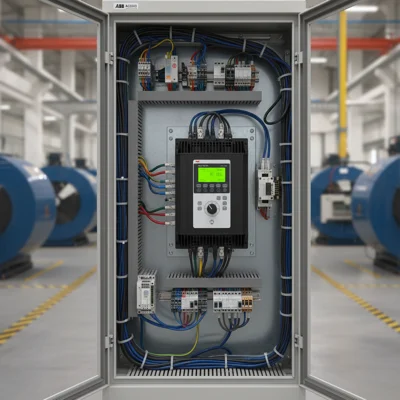
ABB ACS550 Fault Codes — What Each Code Means
A fault code on the ACS550 display is not just a vague error signal. It is a specific diagnosis: the drive detected an abnormal condition and shut down the motor to prevent further damage. F-codes (Fault) mean a full stop and drive lockout, while A-codes (Alarm) are warnings that do not stop the drive. The distinction matters: an alarm means the drive is still running but flagging a condition that needs attention soon — before it escalates to a fault.
The ABB ACS550 is a family of industrial variable frequency drives rated 0.75–160 kW, commonly used in pump, fan, conveyor and compressor applications. Most service calls that start with "the drive won't start" trace back to fault codes that can be cleared in 10–15 minutes once the root cause is identified. See our general VFD fault code guide for cross-brand context — this article focuses specifically on the ACS550.
ACS550 Fault Codes — Full Table F-0001 to F-0022
The table below covers all major ACS550 fault codes with causes and first-response steps. Codes appear on the control panel as "FAULT F XXXX" or abbreviated as "F XXXX".
| Code | Name | Cause | Action |
|---|---|---|---|
| F-0001 | OVERCURR | Output current exceeded 3.5× nominal. Mechanical jam, acceleration time too short, output short circuit. | Check mechanical load (can it be rotated by hand?), increase acceleration time (parameter 2202), inspect motor cable. |
| F-0002 | OVERVOLT | DC bus voltage exceeded the trip threshold. Regenerative braking energy with no dissipation path, supply voltage spikes. | Increase deceleration time (parameter 2203), install a braking resistor, check supply voltage. |
| F-0003 | UNDERVOLT | DC bus voltage dropped below minimum. Supply dip or interruption during run, internal DC contactor issue. | Check supply voltage (must be within ±10% of nominal), inspect input fuses and line contactor. |
| F-0004 | OVERTEMP | Drive heatsink temperature exceeded limit. Blocked air vents, cooling fan failure, ambient temperature too high. | Clean air filters and vents, verify internal fan operation, ensure ambient temperature does not exceed +40°C. |
| F-0005 | OVERTEMP EXT | External temperature sensor (connected to AI2 or DI) detected overtemperature. Overheating transformer, cabinet or adjacent equipment. | Check external sensor signal source. If sensor is disconnected, verify parameter 3501 (external temperature source). |
| F-0006 | MOTOR TEMP | Calculated or measured motor temperature exceeded limit. Overload, inadequate cooling, excessive switching frequency. | Reduce load or increase duty cycle rest time, check motor cooling, review thermal protection settings (parameters 3001–3009). |
| F-0007 | SHORT CIRC | Short circuit on drive output or inside motor windings. Damaged cable, insulation breakdown. | Disconnect motor from drive terminals, measure insulation resistance (must be >1 MΩ at 500 V DC), test cable with megohmmeter. See VFD repair guide. |
| F-0008 | OUTP WIRING | Incorrect motor phase wiring or open phase on output. Also trips when capacitive load is connected to drive output. | Verify U/V/W connections to motor, check terminal torque values. |
| F-0009 | UNDERCURR | Motor current fell below minimum threshold. Load disconnected (belt, coupling), pump dry run (no-flow condition). | Check mechanical drive train, review underload protection settings (parameters 3021–3023). |
| F-0010 | ENCODER | Encoder signal loss or speed feedback error. Cable break, defective encoder. | Check encoder cable (shielded twisted pair 2×2×0.5 mm²), verify encoder power (+24V), review parameters 5001–5010. |
| F-0011 | OUTPUT PH | One or more output phases missing. Motor fuse blown, cable break. | Check motor cable continuity, inspect fuses, verify terminal torque on U/V/W. |
| F-0012 | INPUT PH | One input phase missing or severe phase imbalance. Input fuse blown. | Measure L1/L2/L3 voltages at input terminals. Phase imbalance must not exceed 3%. |
| F-0013 | BRAKE CHOP | Braking chopper fault: overtemperature, short circuit, or braking resistor open circuit. | Check braking resistor connections and condition, verify that resistance matches the specification for your ACS550 power rating. |
| F-0014 | EARTH FLT | Ground leakage current detected. Damaged cable insulation or motor windings, condensation inside motor. | Disconnect motor cable from U/V/W terminals, measure insulation of each motor phase to PE with 500 V megohmmeter. Acceptable: >1 MΩ. |
| F-0015 | THERMISTOR | Motor PTC/NTC thermistor open circuit or short circuit. Broken thermistor or wiring break. | Check thermistor circuit on AI1/AI2 terminals; PTC resistance at room temperature should be 100–1000 Ω. |
| F-0016 | MOTOR STALL | Motor stalled under load (mechanical jam). Drive continued supplying current above threshold at zero speed. | Check mechanical load for jamming, review stall protection parameters 3011–3014. |
| F-0017 | MOTOR PHASE | Error during motor phase angle identification at startup. Typically caused by incorrect wiring or ID run not completed. | Run motor identification (ID run, parameter 9909), verify motor phase connections. |
| F-0018 | ACS | Analogue input AI signal loss (typically AI1 or AI2). Speed reference circuit open, sensor failure. | Check analogue input wiring, review parameter 1301 (AI1 minimum). For 4–20 mA circuits, verify minimum 4 mA from the source. |
| F-0022 | STO | Safe Torque Off activated — STO enable signal removed from inputs. Safety circuit fault or intentional stop. | Check safety circuit wiring (XSTO terminals: IN1 and IN2 must both receive +24V to enable). Verify parameter 3025. |
ACS550 Alarm Codes — Warnings Without a Stop
A-codes do not stop the drive, but they should not be ignored — they signal that a fault trip is approaching. The display shows "ALARM A XXXX".
| Code | Name | Description |
|---|---|---|
| A-0001 | OVERCURR | Current approaching trip threshold. Check load and acceleration time. |
| A-0002 | OVERVOLT | DC bus voltage approaching maximum. Check braking resistor. |
| A-0003 | UNDERVOLT | Supply voltage reduced but still within operating range. |
| A-0004 | OVERTEMP | Heatsink temperature elevated. Clean filters, check cooling fan. |
| A-0006 | MOTOR TEMP | Calculated motor temperature exceeded 90% of fault threshold. |
| A-0009 | UNDERCURR | Motor current below minimum — possible load loss or pump dry run. |
| A-0014 | EARTH FLT | Minor ground leakage detected, not yet at fault level. |
| A-0022 | STO | STO signal removed but drive has not yet received a stop command. |
The key difference: with an alarm the drive keeps running but logs the event (parameters 0401–0412 — fault history log). Check the log before starting any diagnostic work — it shows exactly what happened and when.
How to Reset a Fault on the ABB ACS550
Resetting a fault code is not just dismissing a warning. The drive locked out deliberately. Fix the cause first, then reset. If you reset without fixing the underlying issue, the code returns in seconds — and in serious cases causes further damage.
- Identify the cause. Note the code. Check the fault history log (MENU → Diagnostics → Fault Logger, or parameters 0401–0412). The log stores up to 8 events with timestamps and I/O states at the moment of fault.
- Fix the cause. Use the fault table above. Do not skip this step.
- Reset from the panel. Press the RESET button on the CDP 312R control panel. Hold for 1–2 seconds. The display should change from "FAULT" to "READY" or "LOCAL".
- Reset via digital input. If the panel is not available, apply a +24V pulse to the DI assigned as RESET (typically DI5, parameter 1605). Pulse duration must be at least 100 ms.
- Reset via parameter. Set parameter 0603 = 1 via fieldbus or SCADA. It resets automatically to 0 after the fault is cleared.
- Power cycle. Last resort — switch off and on. The ACS550 clears faults during initialisation. Some faults (such as F-0007 SHORT CIRC) specifically require a power cycle after the circuit has been checked.
If the code returns within minutes of resetting, the root cause has not been addressed. Note: F-0001 OVERCURR and F-0002 OVERVOLT appearing together during deceleration almost always point to a missing or incorrectly sized braking resistor.
Diagnosing Common ACS550 Faults
F-0001 OVERCURR — the most frequent fault
Around 80% of F-0001 cases trace to either a mechanical jam or an acceleration ramp that is too short. Quick test: disconnect the motor from the load and try running it unloaded. If the drive starts cleanly, the problem is mechanical. If F-0001 fires with the motor disconnected, suspect a cable fault or a damaged IGBT inside the drive.
- Acceleration time: parameter 2202. For 7.5–22 kW pump drives — minimum 5–10 s. Compressors typically need 15–30 s.
- Overload: compare actual motor current against parameter 9906 (rated motor current). If actual current exceeds 105%, the mechanical load is too high.
- Cable check: use a megohmmeter to verify no phase-to-phase or phase-to-earth short in the motor cable.
F-0002 OVERVOLT — regenerative braking
This fault almost always happens during deceleration. The motor acts as a generator and pushes energy back into the DC bus. With no path to dissipate that energy, bus voltage climbs until it trips.
Solutions in order of priority:
- Increase deceleration time (parameter 2203) — no extra hardware needed.
- Enable overvoltage control via parameter 2205 (Overvoltage Control = Enable) — the drive automatically extends deceleration to stay below the trip threshold.
- Install a braking resistor — required for applications with frequent fast stops or high-inertia loads.
F-0004 OVERTEMP — drive overheating
The ACS550 is rated for ambient temperatures up to +40°C (derating applies up to +50°C). In practice, summer overheating in poorly ventilated electrical cabinets is the most common cause in Ukraine and similar climates.
- Remove and clean the inlet air filter — it clips off without tools.
- Check the internal cooling fan — it should start when a RUN command is given. If it does not spin, the fan is a field-replaceable part.
- Maintain at least 100 mm clearance above and below the drive inside the cabinet.
- Above +40°C ambient, derate the output current by 1% for every 1°C above 40°C (up to +50°C).
F-0014 EARTH FLT — ground fault
A ground fault is a safety hazard — for both equipment and personnel. This code requires insulation measurement before re-energising. Diagnostic sequence:
- Disconnect motor cable from the U/V/W terminals on the drive.
- Using a 500 V megohmmeter, measure each motor phase to PE.
- If insulation is below 1 MΩ, the fault is in the motor or cable. Motor rewinding or cable replacement is required.
- If insulation is acceptable, investigate the drive itself and cabinet earthing.
Motors in damp environments often show reduced insulation after a winter shutdown — condensation. Always perform insulation checks before the first start of the season.
F-0022 STO — Safe Torque Off
STO is a hardware safety function. When +24V is removed from both STO inputs (IN1 and IN2 on the XSTO terminal block), the drive immediately stops PWM to the IGBTs and the motor coasts to a stop. This is normal behaviour when safety guards are opened or an emergency stop is activated.
Fault F-0022 (rather than a normal STO stop) occurs when only one STO input receives a signal while the other does not — this indicates a wiring fault in the safety circuit itself (broken wire, contact bounce).
Diagnostic: both IN1 and IN2 must change state simultaneously — either both at +24V (run enabled) or both at 0V (STO active). Any asymmetry is a fault condition.
For deeper troubleshooting and repair guidance, see our article on VFD failures and repair.
Frequently Asked Questions
Why does F-0001 OVERCURR trip every time the ACS550 starts?
The most likely cause is an acceleration ramp that is too short for the connected load. Increase parameter 2202 (acceleration time) to 10–20 seconds and retry. If the fault persists, verify that the drive power rating matches the motor and load requirements.
How do I view the ACS550 fault history log?
On the CDP 312R panel, navigate to MENU → Diagnostics → Fault Logger. The log stores the last 8 events (parameters 0401–0412) with fault code, timestamp, and I/O status at the time of the fault. This is the fastest way to understand what happened and in what sequence.
Can I reset a fault on the ACS550 without the operator panel?
Yes. Apply a brief +24V pulse to the DI configured as RESET (default DI5, parameter 1605 = RESET). Alternatively, set parameter 0603 = 1 via Modbus or Profibus fieldbus. A power cycle also clears faults during drive initialisation.
What does it mean if the ACS550 shows both F-0002 and F-0001 in the fault log?
The drive records faults sequentially. If the log shows F-0002 (overvoltage) followed by F-0001 (overcurrent), the likely sequence is: the motor entered regenerative braking and caused F-0002, then on the next start attempt the drive tripped on F-0001. Check whether a braking resistor is installed and correctly sized.
How often should ACS550 air filters be cleaned to prevent F-0004?
In a clean environment, every 6–12 months. In dusty conditions (woodworking, cement, grain handling), monthly or more frequently. The filter unclips in about 30 seconds without tools. A practical tip: set a calendar reminder each spring before summer temperatures arrive.
If self-diagnosis has not resolved the issue, a deeper inspection or component replacement may be needed. Browse the ABB drive catalogue on chastotnik.ua — we can help identify a replacement or a reconditioned unit.

