

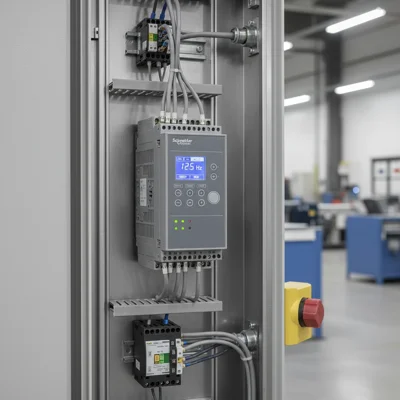
Schneider Electric Altivar 71 Fault Codes — Reference Guide
The Altivar 71 (ATV71) is one of the most widely deployed industrial variable frequency drives in the 0.37–500 kW range. It runs conveyors, compressors, pumps, lifts and HVAC systems across industrial plants worldwide. When a fault code appears on the display, the drive trips — and production stops. Knowing what each code means and how to clear it quickly is not optional.
Key fact: the ATV71 and ATV61 share the same fault codes. If you operate an ATV61 and see OHF or OCF on the display — this guide applies to you as well. We cover all major codes, the five most common trip causes, and the correct reset procedure to avoid damaging the drive.
Full ATV71 Fault Code Table
Below are 24 codes most commonly encountered in the field. Each entry includes category, root cause, and the first diagnostic action to take.
| Code | Name | Cause | First Action |
|---|---|---|---|
| OCF | Overcurrent fault | Output current exceeded 200% of drive rating | Check load, ramp-up time |
| OHF | Drive overheating | Heatsink temperature >85 °C | Check cooling fan, cabinet temperature |
| OLF | Motor overload | Motor thermal protection triggered | Verify rated current in drive parameters |
| OBF | DC bus overvoltage | DC bus voltage >820 V (400 V class) | Check braking resistor, deceleration time |
| PHF | Input phase loss | One supply phase missing or severely unbalanced | Measure voltage at input terminals R, S, T |
| USF | Undervoltage | DC bus voltage below minimum threshold | Check supply voltage level |
| SCF1 | Motor short circuit UV | Short circuit between output phases U and V | Disconnect motor, check cable |
| SCF2 | Motor short circuit VW | Short circuit between output phases V and W | Disconnect motor, check cable |
| SCF3 | Motor short circuit UW | Short circuit between output phases U and W | Disconnect motor, check cable |
| SCF4 | Short circuit to ground | Output phase shorted to protective earth | Megohmmeter test on cable and motor windings |
| SCF5 | External short circuit | Short circuit detected by external protection circuit | Check external contactor and wiring |
| HdF | Hardware detection fault | Output short or ground fault — hardware-detected | Replace cable, check motor |
| OPF1 | Input open phase | One input phase completely absent | Check fuses and input contactor |
| OPF2 | Output open phase | Output phase open (cable break or winding fault) | Check cable and motor |
| LFt | Motor thermal threshold | Motor thermal model or PTC reached limit | Allow motor to cool, check load |
| OtF1 | PTC overtemperature 1 | Motor PTC thermistor signalling overheat | Check motor ventilation and ambient temperature |
| OtF2 | PTC overtemperature 2 | Second PTC channel triggered | Same as OtF1; check thermistor wiring |
| SLF1 | Serial link fault 1 | Modbus RTU communication lost on port 1 | Check RS-485 cable, termination resistor |
| SLF2 | Serial link fault 2 | Second port communication lost (CANopen/Profibus) | Check option card and cables |
| SLF3 | Serial link fault 3 | Ethernet link broken (Modbus TCP / EtherNet/IP) | Check IP address, physical connection |
| EPF1 | External fault 1 | External fault signal on discrete input | Check signal on LI input (parameter EtF1) |
| EPF2 | External fault 2 | Second external fault channel triggered | Check parameter EtF2 and corresponding DI |
| TNF | Autotuning fault | Autotune sequence did not complete successfully | Check motor wiring, motor nameplate parameters |
| CFF | Configuration fault | Configuration corrupted or incompatible after update | Restore factory defaults, reprogram |
| EEF1 | EEPROM fault 1 | Internal memory read/write error | Check power supply, attempt reset |
| EEF2 | EEPROM fault 2 | External parameter card corrupted | Replace parameter card or contact service |
| InF | Internal fault | Internal fault in power or control board | Power cycle; if repeated — send for repair |
| EnF | Encoder fault | Encoder signal loss or error | Check encoder cable, supply voltage, parameters |
Most Common ATV71 Faults and How to Fix Them
In practice, 80% of service calls trace back to five codes. Here they are with specific diagnostic steps.
OCF — Overcurrent
OCF trips when output current exceeds 200% of the drive rating, even momentarily. Most common on conveyors and compressors with heavy starts.
- Ramp-up time too short. Increase the ACC parameter (acceleration time) in the SEt- menu. For heavy loads — start at 10 seconds or more.
- Mechanical jam. Try rotating the shaft by hand. If it does not turn freely — mechanical issue, not the drive.
- Drive undersized. Verify that the ATV71 rated current matches the motor nameplate current. May need the next frame size up.
- Recurring transient overloads. Enable automatic frequency reduction on overload (parameter OLL).
OHF — Drive Overheating
OHF means the heatsink temperature exceeded 85 °C. The drive trips to prevent IGBT thermal breakdown.
- Dirty fan or heatsink. De-energise the drive, blow out the heatsink with compressed air. In dusty environments — quarterly maintenance is the minimum.
- Cabinet temperature above +40 °C. ATV71 is rated for +40 °C ambient. Above +50 °C you need derating or an additional heat exchanger.
- Internal fan not running. Check fan terminal voltage. Replacement fans are inexpensive.
- PWM carrier frequency too high. Reduce carrier frequency (parameter SFr) from 8–16 kHz to 4 kHz — heat dissipation drops noticeably.
OBF — DC Bus Overvoltage
OBF occurs during braking when the motor acts as a generator and pushes energy back into the DC bus. Voltage rises above the limit (~820 V for 400 V supply) and the drive trips.
Fix: install a braking resistor and enable the braking resistor function in parameters (menu brA). If a resistor is already fitted — check the braking transistor (chopper), which can fail silently. Alternatively, increase deceleration time (dEC) so the motor decelerates more slowly.
PHF and OPF1 — Supply Phase Loss
PHF signals phase imbalance or absence on the input. OPF1 is the more specific version: one phase is completely absent. Both are often misdiagnosed as a drive fault when the problem is upstream.
- Measure voltage between all phase pairs directly at input terminals R, S, T.
- Check fuses and input contactor — one element may not be closing.
- ATV71 requires three-phase supply. Connecting two phases instead of three will generate PHF.
SLF1/SLF2/SLF3 — Communication Loss
Serial link faults appear when the drive does not receive a command from the PLC or SCADA within the timeout window.
- Check the physical RS-485 or Ethernet cable connection.
- Verify the termination resistor (120 Ω) at both ends of the RS-485 bus.
- Increase the communication timeout (parameter ttO) if the PLC response is slow.
- Configure the communication loss response (parameter LFL): set to "no" if the drive should continue running without a network command.
SCF1–SCF5 — Short Circuit Diagnostics
SCF faults are the most equipment-critical codes in the ATV71 fault list. They indicate a short circuit on the drive output. Running the drive without resolving the root cause will destroy the IGBT modules.
What Each SCF Code Means
- SCF1 — short between phases U and V. Check the U/V cable segment and the U-V winding of the motor.
- SCF2 — short between phases V and W. Check V/W cable and V-W windings.
- SCF3 — short between phases U and W. Less common than SCF1/SCF2, same mechanism.
- SCF4 — output short to protective earth. Usually caused by cable insulation damage or a motor winding failure from moisture or mechanical damage.
- SCF5 — external short circuit, detected not by the drive's internal sensors but by an external protection circuit (typically via a discrete input).
SCF Diagnostic Procedure
- Remove power from the drive and wait 5–10 minutes for the DC bus to discharge.
- Disconnect the motor cable from drive terminals U, V, W.
- Use a megohmmeter at 500 V to measure cable insulation resistance between each conductor and earth. Acceptable: >1 MΩ.
- Measure motor winding insulation resistance between each winding and the motor frame. Acceptable: >10 MΩ.
- Check winding resistance between phase pairs (U-V, V-W, U-W) — values should be equal. More than 5% deviation suggests an inter-turn fault.
- If cable and motor check out — reconnect the drive and run it unloaded. If SCF does not reappear — the cable or motor was the fault.
- If SCF persists with cable disconnected — the IGBT module or current sensor inside the drive is faulty. Repair is required.
HdF (Hardware Detection Fault) is closely related to the SCF codes — it is detected at hardware level rather than firmware, typically faster. The same diagnostic sequence applies.
How to Reset a Fault on Altivar 71
Resetting without fixing the root cause is pointless and potentially damaging. Here is the correct sequence.
Method 1 — Keypad Reset
- Press the STOP/RESET button on the control keypad.
- If the fault does not clear — the fault condition is still active (e.g., heatsink still hot).
- Wait for the fault condition to pass (cooling, voltage restoration, etc.).
- Press RESET again.
Method 2 — Digital Input Reset
If the drive is controlled by a PLC, assign the fault reset function to one of the discrete inputs LI. Parameter rSF (Reset fault) in menu CtL. Applying 24 V to this input resets the fault remotely.
Method 3 — Power Cycle
Remove supply power and wait for the DC bus to fully discharge — the "POWER" LED goes out, typically in 3–5 minutes — then re-apply power. Slowest but most reliable, especially for EEF1/EEF2 and InF faults.
Auto-Restart Function
ATV71 supports automatic restart after certain faults (parameter Atr in menu FLt). This is useful for pumps and fans where brief supply interruptions are acceptable. For conveyors and lifts — do not enable without carefully analysing the consequences of an unexpected restart.
For fault code analysis across other VFD brands, see our complete VFD fault codes guide.
Frequently Asked Questions
Are ATV71 and ATV61 fault codes the same?
Yes. The ATV71 and ATV61 share essentially the same fault code set. Both series are built on the same Schneider platform, so OCF, OHF, SCF and other codes carry identical meanings and are diagnosed the same way.
What does the OCF code mean on an Altivar 71?
OCF (Overcurrent Fault) means the drive output current exceeded 200% of its rated value. The most common causes are a ramp-up time that is too short, mechanical jamming, or an undersized drive. Increasing the acceleration time (parameter ACC) resolves the issue in most cases.
How do I test whether the motor is faulty when SCF4 appears?
Disconnect the motor cable from terminals U, V, W. Use a megohmmeter at 500 V to measure insulation resistance between each motor winding and the motor frame. If resistance is below 1 MΩ — the motor requires rewinding or replacement. If resistance is acceptable — test the cable.
Can I ignore OHF and keep running?
No. OHF forces the drive to stop in order to protect the IGBT transistors from thermal breakdown. Repeatedly resetting OHF without addressing the overheating cause will destroy the modules within weeks. The repair bill will far exceed the cost of cleaning a fan or adding ventilation.
What should I do when ATV71 shows InF (Internal Fault)?
First, try a full power cycle — remove supply for 5–10 minutes, then re-apply. If InF reappears, this is a hardware fault in the power or control board. Professional diagnosis is required. InF cannot be resolved on site without spare parts.
Having a spare drive on the shelf or a reliable VFD repair partner is worth its weight in gold when a line goes down. Browse the Schneider Electric drive catalogue at Schneider Electric VFDs. If your ATV71 is beyond economic repair, consider newer options such as the Altivar 320 or equivalent drives from other manufacturers.

