

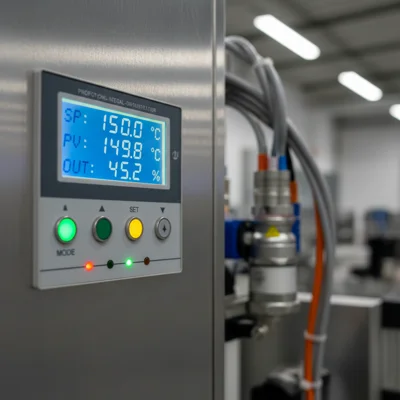
External control panel for a VFD — why you need one
An external control panel is a remote keypad that lets you operate a variable frequency drive away from the unit itself. Instead of walking to the VFD enclosure, the operator works with a panel mounted on the cabinet door, a wall, or even in a different room. Changing frequency, starting, stopping, viewing parameters — all from the panel.
Typical situation: a variable frequency drive sits inside a locked power cabinet, but the operator needs to adjust conveyor speed. That is where an external control panel comes in.
Panel types: what is available
Control panels for VFDs fall into several categories. The choice depends on the task.
Standard remote keypad (copy of built-in)
This is the same panel that ships with the VFD, but on an extension cable. The manufacturer sells it as an accessory. Connection is via a dedicated connector (RJ45, DB9 or proprietary). Cable length is usually up to 3-5 metres, some models up to 10 m.
Panel with extended display
Some manufacturers offer panels with a larger screen than the standard one. For example, INVT has panels with a colour LCD instead of the standard segment display. Useful when the operator needs to see several parameters at once.
Potentiometer + buttons (simplified)
The simplest option — a potentiometer for frequency adjustment and start/stop buttons. Connects to the VFD analog input (AI) and digital inputs (DI). No special cable needed — ordinary wires. Cost — from 200 UAH.
| Panel type | Connection | Distance | Price (approx.) |
|---|---|---|---|
| Standard remote | Dedicated connector | Up to 3-10 m | 800-2,500 UAH |
| Extended display | Dedicated connector | Up to 5-10 m | 2,000-5,000 UAH |
| Potentiometer + buttons | AI + DI terminals | Up to 50-100 m | 200-800 UAH |
| HMI (touchscreen) | RS-485 / Modbus | Up to 1,000 m | 3,000-15,000 UAH |
HMI panel (touchscreen)
A full touchscreen display that communicates with the VFD via Modbus RTU (RS-485). This is no longer just a keypad — it is a mini-SCADA: graphs, trends, event logs, control of multiple VFDs simultaneously. Range — up to 1,000 metres on RS-485. But you need a programmed project for the HMI.
Wiring the standard remote keypad
The simplest scenario — connect a copy of the standard panel. Steps:
- Remove the built-in keypad from the VFD (usually held by clips or screws)
- Plug the extension cable into the connector on the VFD
- Plug the other end into the panel
- Mount the panel on the cabinet door or wall (mounting hole or adapter included)
- Power on — the panel should display the same data as the VFD
One thing to watch: not all VFDs allow both the built-in and external panel to be connected at the same time. Some INVT and Veichi models — it is one or the other. Check the manual.
Wiring with potentiometer and buttons
This option works when you only need basic functionality: set frequency and start/stop. Wiring:
- 10 kOhm potentiometer — connects to 10V, AI1, GND terminals on the VFD. Turning the knob changes frequency from 0 to 50 Hz (or other maximum).
- START button — connects between DI1 terminal and COM. In VFD parameters, set DI1 = Forward Run.
- STOP button — connects between DI2 terminal and COM. DI2 = Stop or Reverse.
Advantage — you can extend to any distance (up to 50-100 metres with ordinary cable). Disadvantage — no display, you cannot see VFD parameters.
Wiring an HMI panel via Modbus
For serious projects — an HMI panel. Connection via RS-485 (two wires A+ and B-). You need to:
- Configure Modbus RTU in the VFD: address (e.g. 1), baud rate (9600 or 19200), parity
- Create an HMI project with the VFD register map (each manufacturer has its own Modbus register table)
- Connect A+ to A+, B- to B-. At the end of the line — a 120 Ohm termination resistor
Via HMI you can control multiple VFDs on one RS-485 bus. We have connected up to 8 drives to a single Weintek panel — runs reliably.
Common problems and fixes
- Panel does not power on — check cable and connector. Most often it is a poor contact or damaged cable.
- Panel shows communication error — wrong Modbus baud rate or address. Compare VFD and HMI settings.
- Potentiometer jumps — poor contact or interference. Use shielded cable for the analog signal.
- Buttons do not respond — check that command source is set to external terminals (not keypad). VFD parameters usually have a "Command Source" setting.
Frequently Asked Questions
Can a VFD operate without a panel?
Yes. A VFD can work from external signals: analog input (4-20 mA or 0-10V) for frequency, digital inputs for start/stop. The panel is only needed for convenience and monitoring.
How far can the panel be from the VFD?
Standard remote keypad — up to 3-10 metres (cable limitation). Potentiometer with buttons — up to 50-100 metres. HMI via RS-485 — up to 1,000 metres.
Will a panel from one VFD brand work with another?
Only within the same brand and often the same series. An INVT GD20 panel will not fit a Veichi AC10. But an INVT GD20 panel may work with an INVT GD35 — depends on the generation.
How much does a remote panel cost?
Standard copy — 800 to 2,500 UAH. HMI panel — 3,000 to 15,000 UAH. Potentiometer with buttons — from 200 UAH (can be assembled yourself).
Can multiple VFDs be connected to one panel?
Via HMI on RS-485 — yes, up to 31 devices on one bus. A standard remote keypad works with only one VFD.
What to choose
For simple control — potentiometer with buttons. Cheap and works over long distances. For parameter monitoring — standard remote keypad. For real automation — HMI.
Our catalogue has control panels for INVT, Veichi and other VFD brands. Also — variable frequency drives with various connection options. Call us and we will help you choose.

