

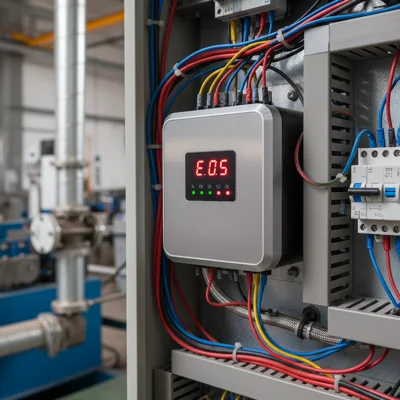
INVT GD Series VFD Fault Codes — Reference Guide
INVT GD series drives — GD10, GD20, GD100, GD200, GD300 — use different fault code systems depending on the generation. Newer models (GD100, GD200, GD300) display numeric codes E001–E041, while older GD20 and CHV series use letter codes: OC1, OV2, OH1, and so on. The distinction matters: the same symptom — overcurrent during acceleration — may appear as E002 or OC1, but the troubleshooting logic is identical.
This guide is a practical reference for maintenance technicians and installers. It covers all current fault codes with causes and first diagnostic steps. Based on our field experience, over 70% of service calls on INVT-equipped sites involve E002, E003, and E014 — acceleration/deceleration faults and overheating. These get a dedicated section with step-by-step procedures.
For a cross-brand comparison of VFD fault codes, see our fault code reference for ABB, Danfoss, INVT, and Schneider.
INVT GD10, GD20, GD100, GD200, GD300 Fault Code Table
Numeric E0XX codes apply to GD100, GD200, GD300, and updated GD10 models. The table below covers the full range — from power protection to communication and sensor faults.
| Code | Fault Name | Typical Cause | First Action |
|---|---|---|---|
| E001 | IGBT module protection / output overcurrent | Output short circuit, damaged cable or motor | Test cable and motor winding insulation with a megohmmeter |
| E002 | Overcurrent during acceleration | Acceleration time too short (F0-17), mechanical jam | Increase F0-17 (acceleration time), check load |
| E003 | Overcurrent during deceleration | Deceleration time too short (F0-18), high load inertia | Increase F0-18, consider adding a braking resistor |
| E004 | Overcurrent at constant speed | Sudden load increase, drive undersized for application | Check mechanical load, assess power rating match |
| E005 | Overvoltage during acceleration | High supply voltage, regenerative energy during acceleration | Measure input voltage, check DC bus |
| E006 | Overvoltage during deceleration | High load inertia, no braking resistor installed | Add a braking resistor, increase deceleration time |
| E007 | Overvoltage at constant speed | Supply voltage spikes, regenerative energy | Check supply, install input line reactor |
| E008 | Control power supply failure | Unstable 24V auxiliary supply, faulty control board | Check 24V on the board, contact service |
| E009 | Undervoltage | Supply voltage drop below threshold, faulty input contactor | Measure supply voltage, check contactor |
| E010 | Drive overload | Prolonged current exceeding drive rating | Evaluate duty cycle, consider a higher-rated drive |
| E011 | Motor overload | Thermal protection misconfigured (F2-00 — rated power) | Check F2-00, F2-01 (motor rated current) |
| E012 | Input phase loss | Supply phase failure, corroded terminals | Measure all three input phases, retighten terminals |
| E013 | Output phase loss | Motor cable break, faulty motor winding | Check motor cable and windings |
| E014 | IGBT module overtemperature | Clogged heatsink, faulty cooling fan, high enclosure temperature | Clean heatsink, verify fan operation |
| E015 | External fault | EF input signal active (external protection device triggered) | Check wiring and state of external protection devices |
| E016 | Communication error | Modbus RTU/RS485 failure, cable break or wrong parameters | Check RS485 cable, address (F8-00), baud rate (F8-01) |
| E017 | Contactor fault | Contactor fails to close or opens during operation | Check coil and power contacts of the contactor |
| E018 | Current detection fault | Faulty Hall sensor or measurement circuit | Service repair required, board-level measurement needed |
| E019 | Motor autotuning fault | Incorrect nameplate data, motor spinning during tuning | Stop motor, enter accurate nameplate data (F2-00 to F2-04) |
| E020 | Encoder fault | Faulty or incorrectly wired encoder (vector control mode) | Check encoder power supply and signal wiring |
| E021 | EEPROM fault | Parameter memory corruption (power loss during write) | Reset to factory defaults (F0-01=1); if persists, service required |
| E022 | PID feedback disconnection | Pressure or level sensor disconnected (analog input) | Check sensor and cable, measure voltage on AI1/AI2 |
| E023 | Braking unit fault | Failed braking transistor or incorrect resistor value | Check braking resistor and transistor, service required |
| E025 | Running time reached | Service timer triggered (configurable in parameters) | Reset counter or adjust threshold in parameters |
| E040 | Speed deviation too large | Mechanical jam, incorrect speed regulator parameters | Check mechanical load, tune speed regulator PID |
| E041 | Motor overspeed | Load separation (crane, hoist), incorrect speed reference | Check mechanical load, configure overspeed protection |
Letter Codes OC/OV/OH — Goodrive Series and Older Models
If your INVT drive displays a letter code, you are working with a GD20, an early-generation GD10, or a CHV series unit. These codes come from the previous Goodrive generation and are still found on sites where equipment has been running for 7-10 years.
- OC1 — overcurrent during acceleration (equivalent to E002)
- OC2 — overcurrent during deceleration (equivalent to E003)
- OC3 — overcurrent at constant speed (equivalent to E004)
- OV1 / OV2 / OV3 — overvoltage during accel / decel / constant speed (equivalent to E005–E007)
- UV — DC bus undervoltage (equivalent to E009)
- OH1 — rectifier overtemperature
- OH2 — IGBT module overtemperature (equivalent to E014)
- OL1 — motor overload (equivalent to E011)
- OL2 — drive overload (equivalent to E010)
- SPI — input phase loss (equivalent to E012)
- SPO — output phase loss (equivalent to E013)
- EF — external fault, EF input active (equivalent to E015)
- CE — communication error (equivalent to E016)
The real difference between old and new series is diagnostic precision, not the protection functions themselves. Numeric codes in GD100/GD200/GD300 give more granular information: for example, E005 (overvoltage during acceleration) and E006 (during deceleration) are separate codes, whereas an older unit would just show OV. Browse the full INVT product range on our site for manuals and datasheets.
Most Common INVT Faults and Step-by-Step Diagnosis
E002, E003, and E014 are the three codes technicians encounter most often. Here is a detailed breakdown of each.
E002 — Overcurrent during acceleration
Quick fix: increase parameter F0-17 (acceleration time). If it is currently set to 5 seconds, try 15-20. For centrifugal pumps and fans, 30 seconds is often enough to make the fault disappear permanently.
If increasing the time does not help, check the mechanics. A slipping pulley, a seizing bearing, or an overtightened V-belt drive are common culprits. Also check parameter F2-00 (motor rated power). If it is set to 7.5 kW but the actual motor is 11 kW, the drive will limit current too early and keep tripping.
- Check F0-17 — increase to 20-30 seconds (for fans and pumps)
- Verify F2-00 matches the motor nameplate exactly
- Check F2-01 (rated current) — a ±5% deviation is acceptable
- Measure current during acceleration — if it exceeds 150% of rated, the problem is mechanical
- If everything above checks out, try raising F1-01 (acceleration current limit) from 150% to 180%
E003 — Overcurrent during deceleration
First action: increase F0-18 (deceleration time). For flywheels, centrifuges, and high-inertia pumps, values of 60-120 seconds are perfectly normal.
If that still does not solve it, a braking resistor is needed. During deceleration, the motor runs as a generator and pushes energy back into the DC bus. Without somewhere to dump that energy, voltage rises and the drive trips on either E006 (overvoltage) or E003 (overcurrent during deceleration). A braking resistor fixes both at once.
E014 — IGBT module overtemperature
In 90% of E014 cases the cause is a clogged heatsink or a failed cooling fan. Check the fan — it should start when the drive powers up (or at a set temperature, depending on F6-12). If the fan is not running, replace it. If the fan runs but the heatsink is still hot, clean the fins thoroughly — this is especially common in food processing and woodworking facilities where airborne contamination is heavy.
If E014 appears in winter with a low ambient temperature, the temperature sensor on the heatsink or the IGBT module itself is likely faulty. Service centre diagnosis is needed in that case. See also our guide on common VFD failures and repair.
Parameter Settings to Prevent Faults
Getting the commissioning parameters right eliminates most faults before they ever occur. These are the parameters to verify on every new INVT GD installation.
Motor parameters (group F2)
| Parameter | Name | What to enter |
|---|---|---|
| F2-00 | Motor rated power | Nameplate value, kW |
| F2-01 | Motor rated voltage | Nameplate value, V |
| F2-02 | Motor rated current | Nameplate value, A |
| F2-03 | Rated frequency | Usually 50 Hz |
| F2-04 | Rated speed | Nameplate value, RPM |
Acceleration/deceleration time (group F0)
- F0-17 — acceleration time: 20-60 s for pumps and fans, 5-15 s for machine tools
- F0-18 — deceleration time: 30-120 s for high-inertia loads
Motor thermal protection (group F2)
- F2-10 — motor overload protection: set to 1 (enabled)
- F2-11 — thermal protection coefficient: 100% for standard motors, 80% for motors with forced cooling
Communication settings (group F8) — for Modbus
- F8-00 — drive address (1-247, unique on the network)
- F8-01 — baud rate: 9600 or 19200 bps (default 19200)
- F8-02 — data format: typically 8-N-1
For detailed specifications on all INVT models, see our INVT VFD overview article. To select and order a specific model, visit the INVT catalogue on our site.
Frequently Asked Questions
What does fault code E002 mean on an INVT VFD?
E002 is an overcurrent fault during acceleration. The most common cause is an acceleration time (F0-17) that is set too short, or an incorrectly entered motor rated power (F2-00). Increase F0-17 to 20-30 seconds and verify that all F2 group parameters match the motor nameplate.
What is the difference between E0XX codes and OC/OV/OH codes on INVT drives?
Numeric E0XX codes are used on newer INVT series (GD100, GD200, GD300, and updated GD10), while letter codes OC/OV/OH appear on older GD20 and CHV series units. The protection functions are the same, but numeric codes provide more granular diagnostics — for example, distinguishing overvoltage during acceleration (E005) from overvoltage during deceleration (E006).
How do I clear a fault on an INVT GD100 or GD200?
Press the STOP/RESET button on the keypad after the fault cause has been resolved. If the fault does not clear, make sure the root cause is actually gone (for E014, the temperature must drop below the threshold). For some faults (E008, E021), a complete power cycle of 30-60 seconds may be necessary.
Why does my INVT drive keep showing E014 even when the temperature is normal?
If E014 trips at low ambient temperatures, the temperature sensor on the heatsink or the IGBT module itself is likely defective. Verify that the cooling fan operates correctly and that the heatsink is clean. If both check out, a service centre inspection is required.
What should I do when fault E016 appears during Modbus communication?
E016 indicates a communication error. Check the RS485 cable (maximum recommended length is 500 m with 120 ohm termination resistors at both ends of the bus), verify the drive address (F8-00) is unique, and confirm that baud rate (F8-01) and data format (F8-02) match the settings of the controller or PLC. Also check F8-03 (response timeout) on all devices in the network.

